Best Diamond Painting Pattern Maker Apps for iPhone & iPad (2026 iOS Guide)
Compare the best iOS apps and mobile generators for turning Camera Roll photos into custom 5D diamond painting charts with official DMC colors and 1:1 printable PDFs.
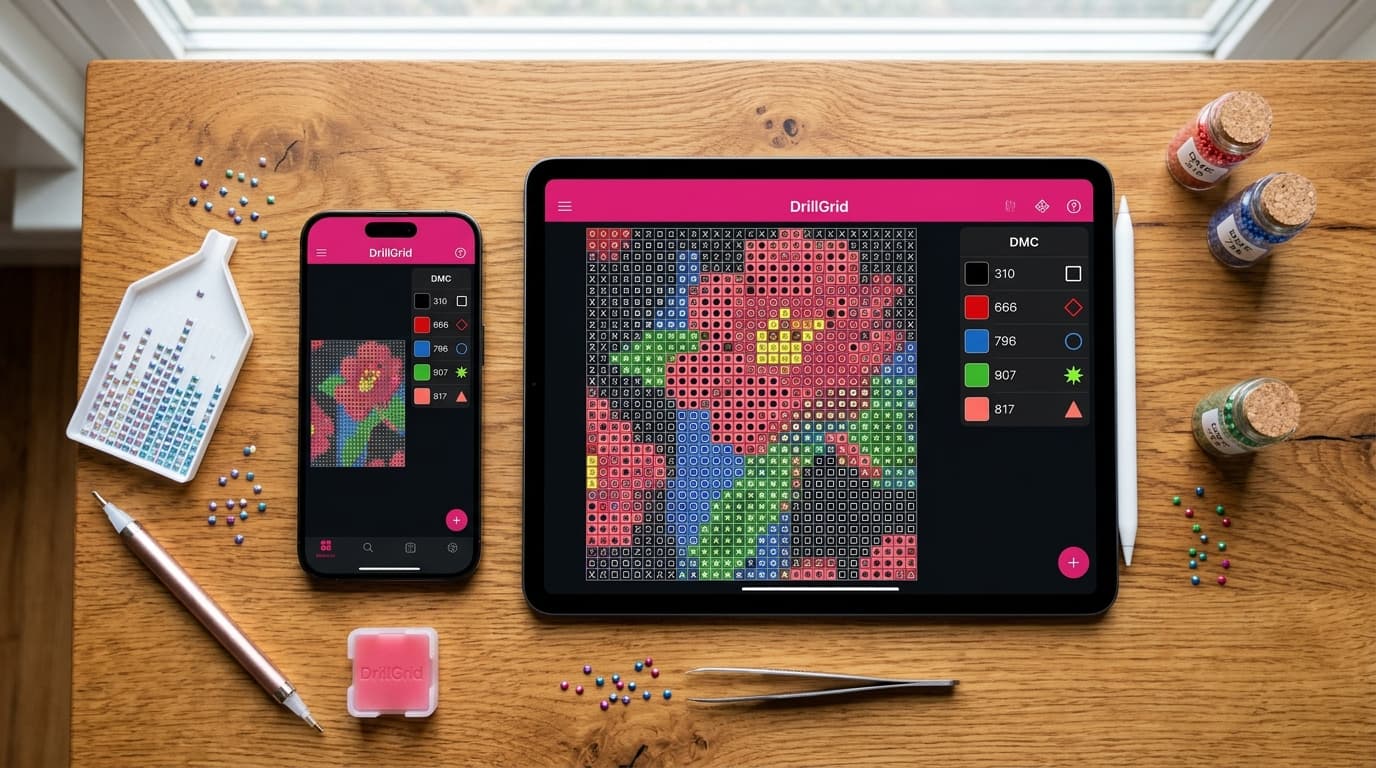
At a Glance
Key findings and core takeaways from our testing and hands-on crafting experience.
The App Store Trap: Tap Games vs. Real Pattern Makers#
If you open the Apple App Store on your iPhone or iPad and search for "diamond painting", you will immediately run into a frustrating wall: 99% of the results are casual color-by-number mobile games packed with 30-second video ads and weekly $9.99 coin subscriptions.
Those games let you tap numbered pixels on a screen to pass the time, but they cannot convert your family photos into real 480+ DMC diamond painting charts, calculate 2.5 mm square vs. 2.8 mm round bead counts, or export a true 1:1 physical scale PDF that aligns with real resin drills on an adhesive canvas.
If you are a real-world crafter looking for the best diamond painting pattern maker for iOS (iPhone & iPad) in 2026, this guide compares the real design tools that turn photos from your Camera Roll into physical 5D diamond art masterpieces.
What Makes a Great iOS Diamond Painting Pattern Maker?#
Before downloading an app or uploading a photo, check whether the tool supports the five non-negotiable requirements of physical diamond painting:
- True 2.5 mm Square & 2.8 mm Round Drill Geometry: Unlike cross-stitch or pixel art, physical diamond drills have exact millimeter diameters. A 30×40 cm square-drill canvas holds
120 × 160 = 19,200 drills(4 drills/cm), whereas a 30×40 cm round-drill canvas holds107 × 142 = 15,194 drills(3.57 drills/cm). If an app doesn't adjust the grid density for round vs. square drills, your printed chart will not match standard canvas sizes! - CIEDE2000 Perceptual DMC Color Matching: Basic RGB color converters turn warm human skin tones gray or greenish. A professional iOS pattern maker maps every pixel to the 489 official DMC shades using human-vision CIEDE2000 color distance and removes isolated single-bead "confetti."
- True 1:1 Physical Scale PDF & Vector EPS Export: When you print your chart via AirPrint or send it to a print shop, every grid cell on paper must measure exactly 2.5 mm × 2.5 mm (square) or 2.8 mm × 2.8 mm (round) so physical drills sit side-by-side without crowding or buckling.
- Leftover Stash Inventory & Shopping Lists: Experienced diamond painters accumulate thousands of leftover DMC drills. Your iOS app should let you log your spare bags and generate new patterns using the colors you already own.
- Native Touch & Pinch-to-Zoom Performance: On an iPhone or iPad Pro, you should be able to pinch-to-zoom smoothly to 800% across a 60,000-drill canvas and tap any DMC swatch to highlight where that color belongs.
Test how your own Camera Roll photo converts into a real DMC diamond chart right now using our interactive preview engine below:
Turn your own photo into a diamond painting chart
Upload any photo, match 480+ official DMC colors, compare round & square drills, and preview high-res detail in your browser.
Top 5 Diamond Painting Pattern Makers for iPhone & iPad (2026)#
1. DrillGrid for iOS & iPadOS (Best Overall Native App)
DrillGrid is the only dedicated native iOS, iPadOS, and macOS application engineered specifically for physical 5D diamond painting and counted DMC chart creation.
Instead of wrapping an outdated desktop website inside a mobile browser, DrillGrid runs natively on Apple's Metal graphics engine—meaning you can import a 48-megapixel HEIC portrait straight from your iPhone Camera Roll, crop it, and preview 50,000+ individual faceted beads in seconds.
- Native iPhone, iPad & Mac Experience: Designed for one-handed iPhone portrait editing and split-screen iPad Pro crafting at your worktable.
- CIEDE2000 Color Engine + Anti-Confetti: Matches all 489 official DMC codes with smart palette reduction (20 to 120 colors) that keeps faces lifelike while eliminating stray single drills.
- Special Drill Finishes: Assign shimmering AB (Aurora Borealis), Crystal Rhinestone, Fairy Dust, and Glow-in-the-Dark drills to highlights and backgrounds.
- Leftover Drill Stash Manager: Enter your spare DMC bags by code or gram weight and generate stash-only patterns—or view an instant shopping list telling you exactly how many 200-count or 1,000-count bags to order.
- Mystery Canvas Mode: Toggle Mystery Canvas Mode on export to print uncolored symbol-only grids so the artwork reveals itself only as you place the gems.
- 1:1 AirPrint PDF & Commercial Vector EPS: Export multi-page tiled 1:1 PDFs ready for home printing or scalable vector EPS files for large-format canvas printers.
- Pricing: Free download on the App Store with your first full watermark-free pattern export free; affordable Pro plans unlock unlimited exports, EPS vectors, and full stash simulation.
2. DrillGrid Web Preview (Best Instant Safari Converter)
If you want to test how a photo will look at 20×20 cm, 30×40 cm, or 50×70 cm on your iPhone without installing anything first, the DrillGrid Free Online Photo-to-Pattern Tool runs 100% locally inside Mobile Safari.
- Best For: Instant browser previews on iPhone and iPad, comparing Round (2.8 mm) vs. Square (2.5 mm) drill counts, and inspecting your top DMC color swatches.
- Privacy: Uses HTML5 Canvas and Web Workers directly on your iPhone chip—your personal photos are never uploaded to an external server.
3. Stitch Fiddle (Best Cloud Grid for Manual Pixel Art)
Stitch Fiddle is a popular web-based graph paper tool used across crochet, cross-stitch, and pixel crafts that can be opened in Safari on an iPad.
- Pros: Good for drawing simple geometric motifs or lettering square-by-square from a blank grid.
- Cons for iOS Diamond Painters: Not a native iOS app; mobile touch controls inside Safari can feel cramped on an iPhone screen. More importantly, it does not calculate 2.8 mm round vs. 2.5 mm square millimeter dimensions, drill gram weights, AB specialty finishes, or leftover drill stash inventory.
4. Cross-Stitch PDF Readers on iOS (GoodNotes & Markup Apps)
Many iPad crafters use PDF annotation apps like GoodNotes, Notability, or cross-stitch chart trackers like Markup R-XP alongside their diamond painting setup.
- Pros: Fantastic for marking off completed 10×10 sections with an Apple Pencil while working from a digital chart.
- Cons: These are chart readers, not pattern generators—they cannot convert a photo into a 1:1 scale printable diamond painting canvas or calculate DMC bead bag quantities. (Pro Tip: Generate your 1:1 vector PDF in DrillGrid and open it in GoodNotes or use DrillGrid's interactive color-highlight view directly!)
5. Pic2Pat & Pixel-Stitch (Classic Browser Converters)
Pic2Pat and Pixel-Stitch are long-standing free websites built for counted cross-stitchers.
- Pros: Free and simple for generating basic cross-stitch PDFs.
- Cons for iOS Diamond Painters: Desktop-era interfaces that require pinching and scrolling on an iPhone; no support for 2.8 mm round diamond physics, no live interactive symbol editing, no AB/Crystal drill simulation, and PDFs print at cross-stitch Aida gauges rather than true 2.5 mm / 2.8 mm physical diamond drill scale.
iOS Diamond Painting Software Comparison Table#
| Feature | DrillGrid (iOS / iPadOS / Mac) | Stitch Fiddle (Web) | Pic2Pat / Pixel-Stitch (Web) | App Store "Diamond" Games |
|---|---|---|---|---|
| Native iPhone & iPad App | ✅ Yes (App Store) | ❌ Browser only | ❌ Desktop web UI | ✅ Yes (Game only) |
| True 2.5mm Square & 2.8mm Round Math | ✅ Yes (Exact 1:1 scale) | ❌ Generic square grid | ❌ Aida fabric count only | ❌ No |
| 489 Official DMC Color Engine | ✅ CIEDE2000 Perceptual | ⚠️ Basic RGB | ⚠️ Basic RGB | ❌ Fake game colors |
| Leftover Drill Stash Matching | ✅ Yes (Built-in Inventory) | ❌ No | ❌ No | ❌ No |
| Special Drills (AB, Crystal, Glow) | ✅ Yes | ❌ No | ❌ No | ❌ No |
| Mystery Canvas (Spoiler-Free) Export | ✅ Yes | ❌ No | ❌ No | ❌ No |
| 1:1 Printable PDF & Vector EPS | ✅ PDF, Vector EPS & PNG | ⚠️ Basic PDF (paid) | ⚠️ Cross-stitch PDF only | ❌ Cannot export |
How to Turn an iPhone Photo Into a Diamond Painting Chart#
You can go from a photo in your iPhone Camera Roll to a ready-to-kit diamond painting chart in under two minutes:
- Pick a Clear, Well-Lit Photo: Open DrillGrid on your iPhone or iPad (or try the Web Generator) and select a photo from your library. Crop tightly around your subject—such as your dog's face or a couple's portrait—so at least 70% of the canvas drills go toward the main subject rather than the background.
- Select Your Canvas Size & Drill Shape: Choose Square (2.5 mm) for maximum snap-fit detail or Round (2.8 mm) for faster, beginner-friendly placement. For portraits, 30×40 cm or 40×50 cm is the sweet spot. (Check our Interactive Canvas Size Calculator to compare drill counts.)
- Preview & Fine-Tune DMC Colors: Pinch to zoom in on facial features like eyes and noses. Toggle between Realistic Bead View and Symbol Chart View, or enable your Leftover Stash filter to substitute shades you already own.
- Export Your 1:1 PDF or Shopping List: Tap Export to save a 1:1 scale printable PDF (complete with coordinate rulers, bold 10×10 grid lines, and a full DMC Legend showing exact bead counts and gram weights) or print directly via AirPrint!
Frequently Asked Questions#
Is there a real diamond painting pattern maker app on the iOS App Store?
Yes! DrillGrid is a native iOS, iPadOS, and macOS pattern maker designed for real-world diamond painters. Unlike tap-to-color mobile games, it converts your own photos into official 489-shade DMC diamond painting charts and exports true 1:1 millimeter-scale printable PDFs and commercial vector EPS files.
Can I print a 1:1 diamond painting canvas directly from my iPhone or iPad?
Yes. When you export a 1:1 Multi-Page PDF from DrillGrid on your iPhone or iPad, the app tiles your canvas across standard US Letter or A4 sheets with alignment guides and overlap margins. Simply print at 100% Actual Size via AirPrint, tape the sheets together over an LED Light Pad, apply double-sided adhesive film, and start placing drills!
Does DrillGrid work offline on iPad and iPhone?
Yes! Because DrillGrid performs all image quantization, CIEDE2000 color matching, and PDF/EPS vector rendering locally on your Apple A-series or M-series chip, your photos never leave your device and you can design patterns offline on a flight or at your craft table.
Ready to turn your photo into a diamond painting?
Upload any photo and get a printable pattern with exact colors and drill counts, free to try.
Free preview in your browser · No account or download needed
Frequently Asked Questions
What is the best diamond painting pattern maker app for iPhone and iPad?+
DrillGrid is the top-rated native iOS and iPadOS app for turning photos into custom diamond painting patterns. It supports true 2.5mm square and 2.8mm round drill physics, 489 official DMC colors via CIEDE2000 perceptual matching, leftover drill stash tracking, and 1:1 scale printable PDF and vector EPS exports.
Why do most diamond painting apps on the App Store only let you tap numbers?+
Most apps returned when searching 'diamond painting' on the App Store are casual color-by-number mobile video games rather than crafting utilities. For actual physical diamond painting, look for a dedicated pattern generator like DrillGrid that outputs real DMC color codes, gram weights, and 1:1 millimeter-accurate printable charts.
Can I use my iPad as an interactive pattern viewer while diamond painting?+
Yes! In DrillGrid on iPad or iPhone, you can pinch-to-zoom up to 800% on your symbol grid and tap any DMC color swatch in the legend to highlight every matching cell across the canvas, or export the vector PDF to mark off completed 10×10 sections.
Is DrillGrid free to try on iOS?+
Yes, DrillGrid is free to download on the iOS and Mac App Store and your first full-resolution, watermark-free pattern export is free so you can test the entire workflow from photo import to printed 1:1 chart before upgrading.
Continue Reading
More diamond painting guides, DMC color tools, and sizing formulas.
Best Diamond Painting Pattern Makers: 2026 Guide
Discover the best diamond painting pattern makers in 2026. Compare software options for DMC color matching, 1:1 scale lightpad charts, and stash reuse.
How to Turn Any Photo into a Custom Diamond Painting Chart (Step-by-Step)
Learn how to turn any personal photo, pet picture, or artwork into a print-ready diamond painting chart with exact DMC colors.
How to Create Your Own DIY Diamond Painting Kits (Easy Step-by-Step)
Learn how to make DIY diamond painting kits at home: step-by-step guide to printing charts, applying adhesive sheets, and placing drills.
Best Cross Stitch Pattern Makers for Mac, iPad & iPhone (2026 Guide)
Compare the best cross stitch pattern makers for Mac, iPad, and iPhone in 2026. Review DMC color accuracy, PDF chart exports, floss stash tools, and pricing.