How to Choose the Right Canvas Size for Your Photo (No Guesswork)
Match your photo's detail, subject, and proportions to the perfect diamond painting canvas: so you never end up with a blurry, unrecognisable result.
At a Glance
Key findings and core takeaways from our testing and hands-on crafting experience.
Choosing the wrong canvas size is the single biggest mistake beginners make, and it is almost always the reason a finished diamond painting looks blurry or disappointing.
The good news? Once you understand the simple logic behind canvas sizing, picking the right one takes about 30 seconds.
Why Canvas Size Matters More Than You Think#
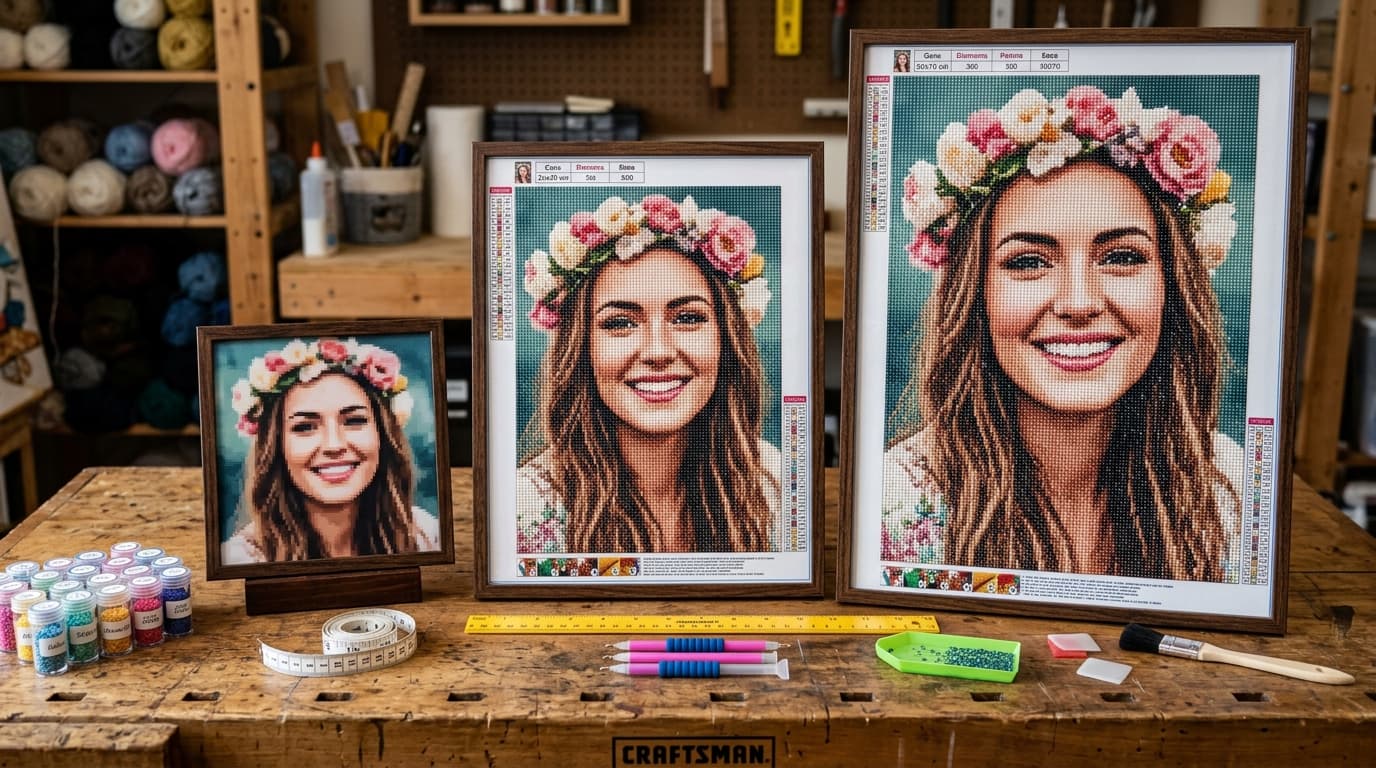
A diamond painting canvas isn't like a printed photo you can zoom in and out of. Every drill is a fixed physical tile (2.5 mm wide for square drills, 2.8 mm for round). That means the number of drills is fixed by the physical canvas size, which directly determines how much detail your painting can show.
More drills → more detail → sharper, more recognisable result.
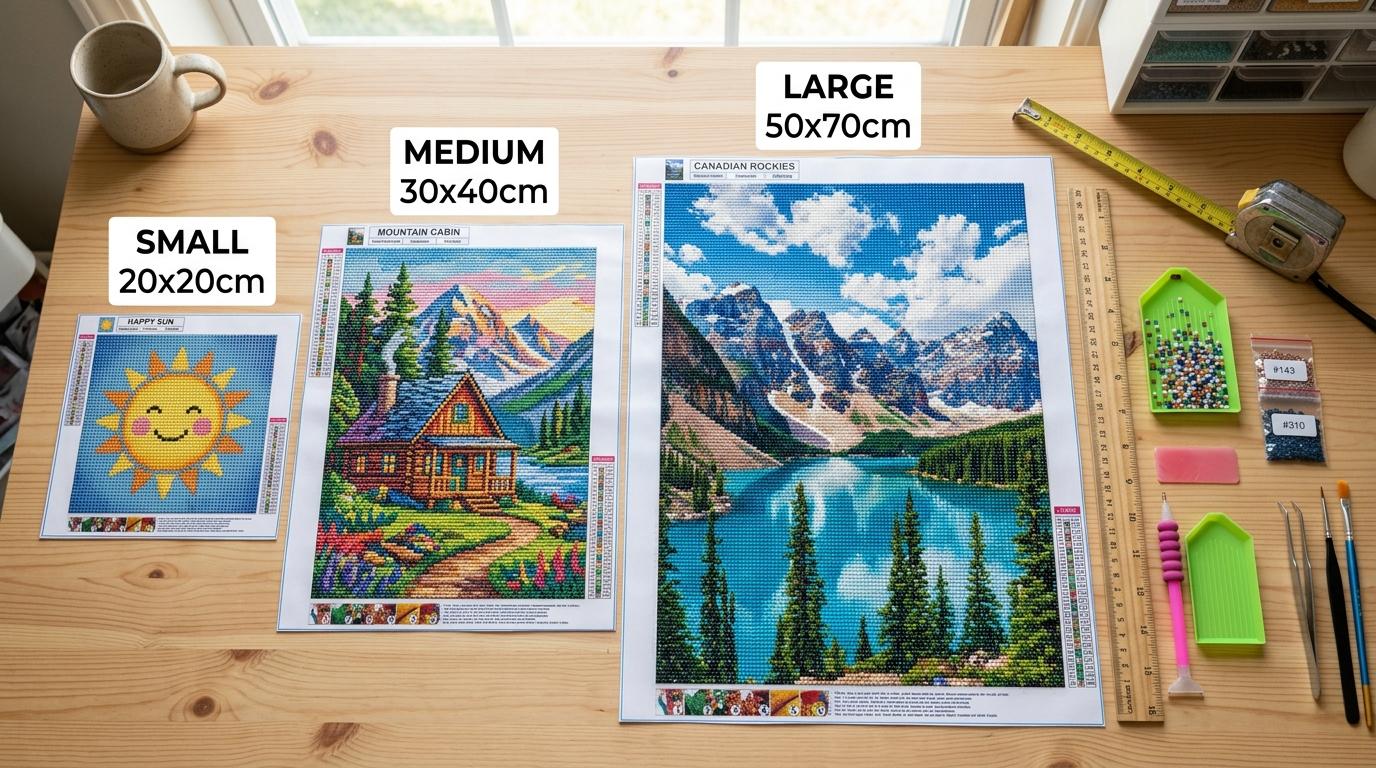
This is why the same photo can look stunning on a 50×70 cm canvas and completely unrecognisable on a 20×20 cm one.
The One Rule to Remember: Drills = Pixels#
Think of each drill as a pixel on screen. If you've ever zoomed in on a low-resolution photo until you can see the individual squares, that's what happens when you choose a canvas that's too small for your subject.
| Drill Type | Drills per centimetre | Drills per inch |
|---|---|---|
| Square (2.5 mm) | 4 drills/cm | ~10 drills/inch |
| Round (2.8 mm) | ~3.6 drills/cm | ~9 drills/inch |
So a 30×40 cm canvas with square drills = 120 × 160 = 19,200 drills total. That's your "resolution."
Turn your own photo into a diamond painting chart
Upload any photo, match 480+ official DMC colors, compare round & square drills, and preview high-res detail in your browser.
Step 1: What Is Your Subject?#
The type of subject in your photo is the #1 factor in choosing size. Use this as your starting guide:
| Subject | Minimum Recommended Size | Ideal Size |
|---|---|---|
| Simple logo, icon, or letter | 20×20 cm | 25×25 cm |
| Close-up single pet (face only) | 25×25 cm | 30×30 cm |
| Single person, bust/chest-up portrait | 30×30 cm | 30×40 cm |
| Full-body pet or single person | 30×40 cm | 40×50 cm |
| Two people or pet with environment | 40×50 cm | 50×60 cm |
| Family group (3–5 people) | 50×70 cm | 60×80 cm |
| Detailed landscape or group (6+ people) | 60×80 cm | 70×100 cm+ |
Step 2: Match the Canvas Shape to Your Photo#
Even if you pick the right overall size, choosing the wrong shape can ruin the result. A landscape photo crammed onto a square canvas will either be stretched horizontally or have your subject cropped out.
Common photo aspect ratios:
| Photo Source | Typical Ratio | Matching Canvas Shape |
|---|---|---|
| Smartphone portrait (vertical) | 3:4 or 9:16 | Portrait (e.g., 30×40, 40×50, 50×70) |
| Smartphone landscape (horizontal) | 4:3 or 16:9 | Landscape (e.g., 40×30, 50×40, 70×50) |
| Instagram square | 1:1 | Square (e.g., 30×30, 40×40) |
| DSLR standard | 2:3 | Portrait (e.g., 30×45, 40×60) |
When you upload your photo to DrillGrid's Free Photo to Pattern Generator, the canvas picker automatically highlights the proportions that best fit your image, so you never accidentally crop out half a face.
Step 3: Use the Canvas Size Calculator#
Before you commit to a size, use the interactive calculator below to see exactly how many drills your chosen canvas will have, and get a real-time preview of your photo at that resolution.
Interactive Canvas & Drill Weight Calculator
Calculate physical drill counts, weight in grams, bag orders, and detail rating in real time.
Great for solo portraits, close-up pet faces, and high-contrast pop art.
This is the fastest way to find your perfect size without guesswork or disappointment.
Canvas Size Quick-Reference Table#
| Canvas Size | Square Drills | Round Drills | Best For | Detail Level |
|---|---|---|---|---|
| 20×20 cm | 6,400 | ~5,100 | Bold logos, simple icons | ⭐⭐ Low |
| 25×30 cm | 9,000 | ~7,290 | Close-up pet face | ⭐⭐⭐ Moderate |
| 30×40 cm | 19,200 | ~15,552 | Single portrait (bust), solo pet | ⭐⭐⭐⭐ Great |
| 40×50 cm | 32,000 | ~25,920 | Two-person portrait, full-body pet | ⭐⭐⭐⭐⭐ Excellent |
| 50×70 cm | 56,000 | ~45,360 | Family group, detailed scenes | 💎 Masterpiece |
| 60×90 cm | 86,400 | ~70,000 | Large landscapes, fine art | 🏆 Gallery Grade |
The 3 Most Common Sizing Mistakes#
1. Picking Size Based on Price Alone
A 20×30 cm canvas is cheaper, but if your photo has a family of four in it, every face will be 8–10 drills wide, resulting in a smudge instead of a face. Don't optimise for cost on your first custom portrait.
2. Ignoring the Background
If 60% of your photo is blue sky or green grass, only 40% of your drills go to your actual subject. Crop in tight before uploading to get rid of dead space so your drills go where they matter.
3. Choosing a Non-Standard Frame Size
Canvas sizes like 35×47 cm or 45×65 cm sound fine, but they won't fit any standard picture frame. Stick to 30×40, 40×50, or 50×70 cm, which map perfectly to standard frame sizes available at retail stores.
Ready to turn your photo into a diamond painting?
Upload any photo and get a printable pattern with exact colors and drill counts, free to try.
Free preview in your browser · No account or download needed
Frequently Asked Questions
What canvas size is best for a pet portrait?+
For a close-up pet face, 30×30 cm gives great results. For a full-body pet or a pet with some background, go with 30×40 cm or 40×50 cm. The key is making sure the face area covers at least 80×80 drills; anything smaller and features blur together.
Can I use any photo size, or does my photo resolution matter?+
Your phone photo has plenty of resolution for any canvas size; the limit is the physical drill size, not your photo. DrillGrid automatically downsamples your image to fit the drill grid, so even an older phone photo works perfectly.
Is a 30×40 cm canvas good for a beginner?+
Yes, 30×40 cm is widely considered the ideal beginner size. It has enough drills for a recognisable portrait (19,200 with square drills), fits a standard picture frame, and takes 15–25 hours to complete, which is motivating without being overwhelming.
What's the difference between square and round drills for canvas size?+
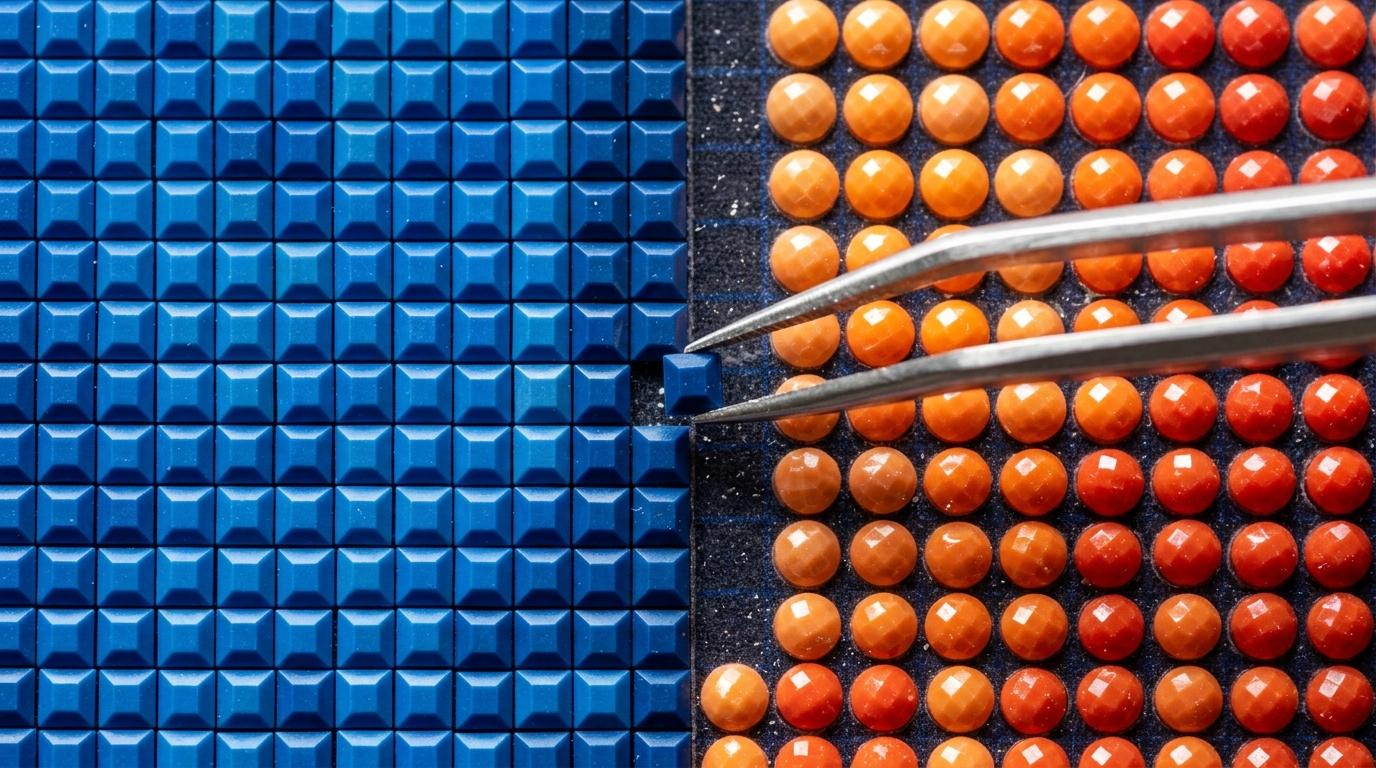
Square drills (2.5 mm) fit 4 per centimetre while round drills (2.8 mm) fit about 3.6. On a 30×40 cm canvas, square gives you 19,200 drills vs 15,552 for round, giving about 24% more detail in the same physical space. For portrait photos, square drills are almost always the better choice.
How do I know if my canvas will be blurry before I buy?+
Use DrillGrid's canvas calculator and preview tool. You can upload your photo, pick a canvas size, and see a drill-by-drill preview of the result before exporting or ordering. If faces or details look blocky in the preview, go one size larger.
Do I need to match the canvas shape to my photo?+
Yes, this is one of the most overlooked steps. If your photo is portrait (taller than wide), choose a portrait canvas. If it's landscape, choose landscape. Forcing a mismatch either stretches your image (distorting faces) or crops out important parts of the scene.
Continue Reading
More diamond painting guides, DMC color tools, and sizing formulas.
Diamond Painting Sizes: Complete Canvas Size Chart & Guide
The complete guide to diamond painting sizes. Compare standard canvas dimensions in cm and inches, drill counts, frame sizes, and detail scores.
Square vs. Round Diamond Drills: Which Is Right for Your Project?
Square drills or round drills? Compare how each one looks, how easy they are to place, and which is better for your next project.
How to Turn Any Photo into a Custom Diamond Painting Chart (Step-by-Step)
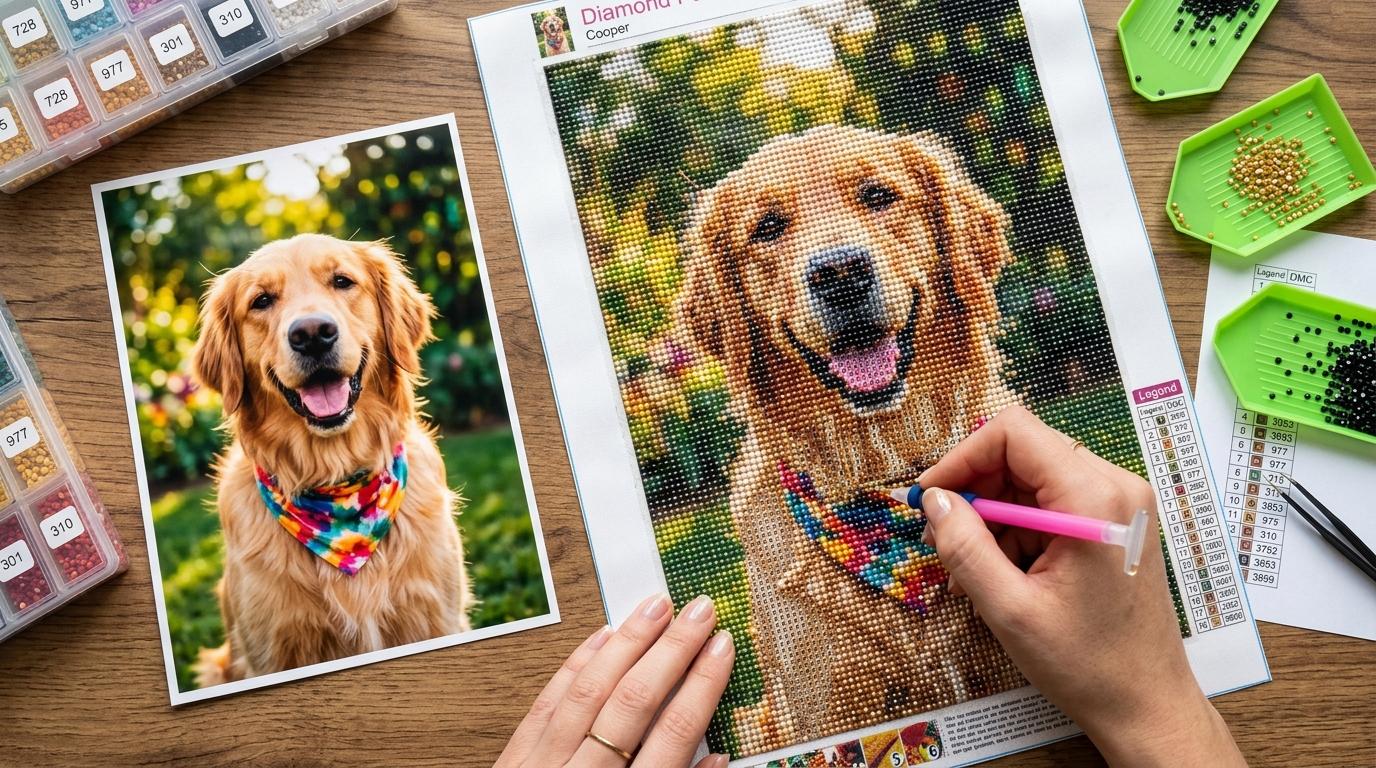
Learn how to turn any personal photo, pet picture, or artwork into a print-ready diamond painting chart with exact DMC colors.
Diamond Painting Drill Calculator: Weight Math & Bag Counts
Use our free diamond painting drill calculator to find exact drill counts, convert grams to beads, estimate bag requirements, and budget spill reserves.